
Which Common Problems Affect Smart TV Wi-Fi Connections, and What Repair Solutions Are Available?
A frozen loading screen often signals a hidden network issue inside televisions. Many users experience a smart tv wifi connection problem when opening streaming apps suddenly. Smart televisions rely on stable wireless internet for updates streaming and daily use. Most connection failures begin within home network setups or old routers. Weak signals reduce quality when passing through walls, floors or furniture. Routers placed far from televisions struggle to provide steady network coverage. Older routers cannot handle modern smart television network demands efficiently.
Software glitches inside televisions block proper wireless detection and communication. Temporary memory overload can stop signals between television modules and routers. Power fluctuations may damage chips controlling wireless internet inside the television. These problems develop slowly and confuse candidates without technical understanding. Clear guidance helps candidates take correct steps for repairing connection issues. Understanding these causes prepares candidates for professional repair or troubleshooting.
Why Wont My Smart TV Connect To Wifi Issues
Many households ask why won’t my smart tv connect to wifi suddenly. This problem often appears after software updates or router configuration changes. Smart televisions require constant background syncing with online servers. Failed updates can make wireless modules stop responding to networks. Incorrect date or time settings block secure internet access. Televisions rely on accurate system clocks to validate network connections.
Router password changes prevent automatic reconnection to previously connected networks. Saved credentials inside the television can become invalid immediately. Weak signal strength is a major reason for failed connections. The distance between the router and television reduces network signal gradually. Thick walls inside larger homes block wireless signals from reaching devices. Nearby electronic devices interfere with wireless frequencies silently and consistently. Restarting the television and router can fix minor memory conflicts.
This simple step restores connection in many cases quickly. When restarting fails a factory reset may solve the issue completely. Resetting clears corrupted files that stop proper network access. Candidates should check firmware versions regularly through the system menu. Outdated software cannot work with new router security standards. Low internet speed affects performance even if the television shows are connected. Slow bandwidth causes apps to freeze and stops smooth streaming. Understanding these steps allows candidates to troubleshoot problems logically.
Smart TV Not Connecting To Wifi Hardware Errors
Sometimes smart tv not connecting to wifi indicates internal hardware faults. Correct passwords and strong signals may still fail to establish connections. Internal wireless chips can be damaged by power surges or heat. Heat buildup weakens solder joints around wireless modules over time. Small faults prevent proper signal flow without visible damage externally. Loose antennas stop the television from detecting nearby wireless networks.
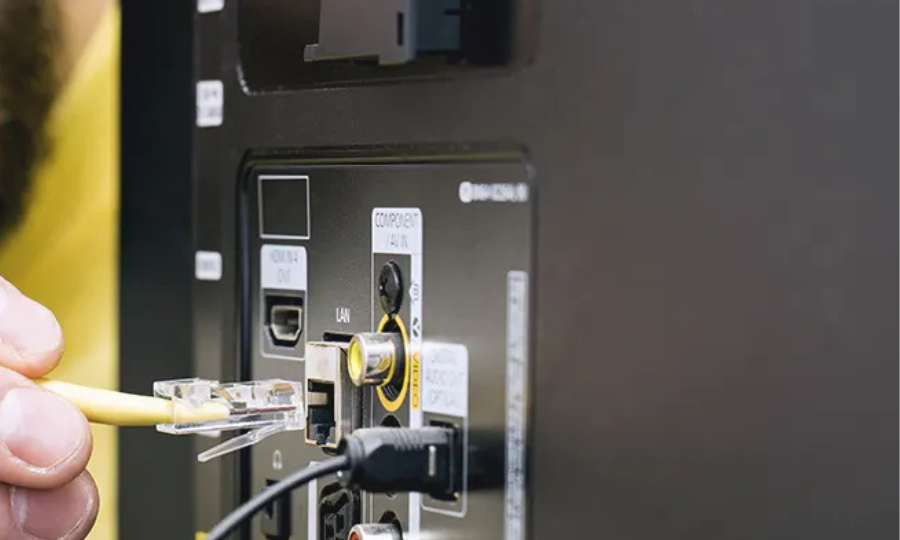
Service diagnostics allow experts to identify if hardware replacement is necessary. Special tools measure antenna performance and confirm connectivity strength. Technicians replace damaged wireless modules to restore full functionality. This repair restores television wireless performance without replacing the whole unit. External USB adapters provide temporary solutions for older television models. Testing with an Ethernet cable shows if the problem is wireless specific. Logical testing prevents unnecessary costs and repeated repair attempts.
TV Not Connecting To Wireless Internet Repairs
Professional repair is the safest option when simple fixes fail repeatedly. Certified service centers follow structured inspection procedures for antennas and network modules. Technicians check cable connections and internal components for hidden faults. Dust buildup can cause overheating and reduce wireless network stability. Cleaning internal parts enhances airflow and improves wireless performance. Firmware corruption requires controlled reinstallation by trained experts. Service ports allow secure software restoration without risking stored data.
Network calibration aligns television with router frequencies for proper reception. These repair methods restore stable wireless connections for daily use. Attempting repairs without experience risks damaging sensitive internal components. Professional service protects screens, circuit boards and power systems. Experts handle both modern and older smart television models safely. Experts focus on permanent solutions rather than temporary adjustments. Candidates also receive guidance on proper setup after repairs are complete.
TV Wont Connect To Wifi But Phone Does
Many users notice the TV will not connect to wifi but phones do. This reveals device specific network compatibility issues with the router. Smart televisions often use older wireless standards compared to mobile phones. Older models may fail to work with new router security protocols. Phones adapt faster because they receive hardware upgrades more frequently. Routers may default to frequency bands unsupported by older televisions.
Changing router frequency bands restores stable connectivity for television devices. Modern security modes like WPA3 can block older smart television units. Adjusting encryption and network settings fixes these compatibility mismatches quickly. Ignoring these issues causes the smart tv wifi connection problem to return. Expert configuration prevents further frustration and ensures smooth streaming. Professional repairs restore reliable connectivity for updates streaming and daily use. Proper setup alignment and expert repair enhance performance and prevent future problems.